
Unique affirmations
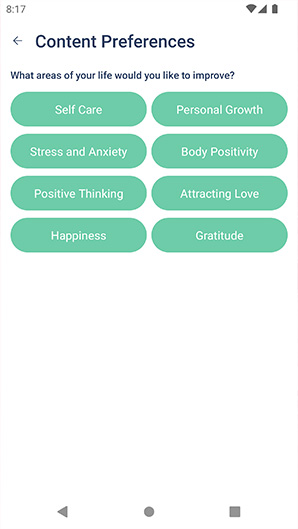
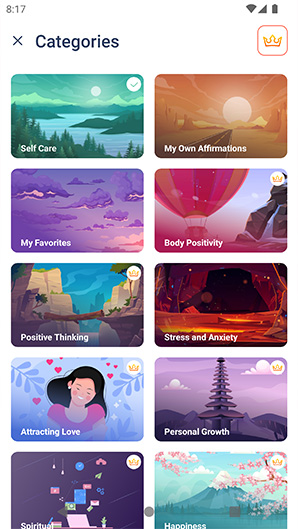
Categories for every request, from self care to attracting love. You will never meet the same affirmation twice.
Daily positive affirmations
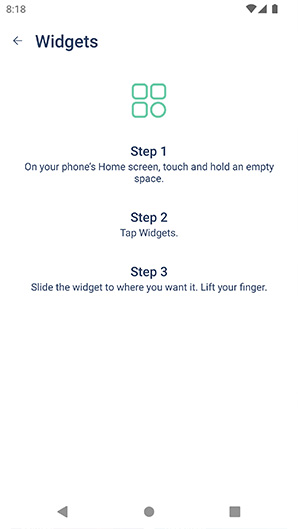
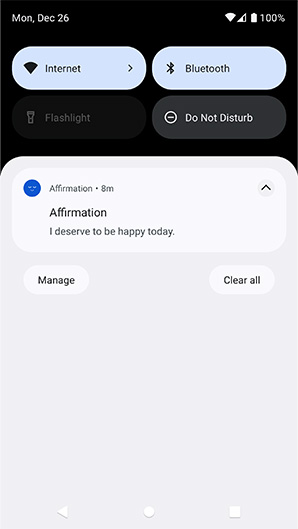
Short, positive phrases on your home screen, in gentle reminders and widgets. Build self-esteem one thought at a time.
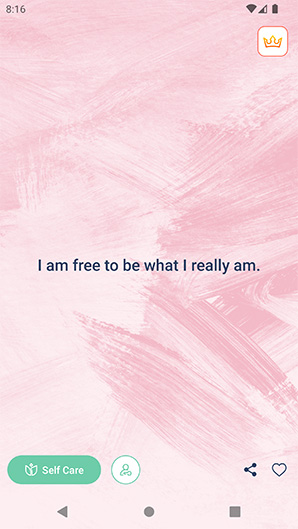
I am free to be what I really am.
Affirmations are short, clear phrases you repeat until they stick. Say them often enough and the positive attitude inside each one settles into your subconscious, changing how you talk to yourself.
Categories for every request, from self care to attracting love. You will never meet the same affirmation twice.
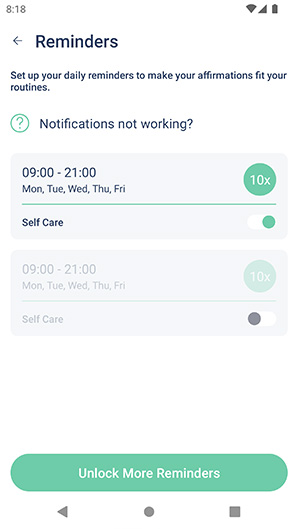
Pick the hours, the days and how many times a day a kind word should find you.
One positive phrase every time you pick up your phone.
Send the affirmation that moved you to a friend or post it on social media in one tap.
Lots of affirmations are free. Premium opens every category and makes the app fully yours.

A calm, minimalist design that stays out of the way, so the words get all your attention.
“I read 20 phrases a day and I began to feel more confident. I began to openly communicate with people.”
“Periodic affirmations on the widget and notifications have a very good effect on the general condition.”
“This application is very motivating and raises self-esteem, as well as emotional mood.”
“At first I thought it wouldn't help. Now I am convinced of the opposite.”
“Nice interface, a small widget that doesn't really interfere. Even in the free version there are a lot of beautiful affirmations.”
“The app is just awesome! An app icon, different themes, a widget, and so many motivating stories in the app.”
Support
Contact technical support right in the app or write to us. We read every message.
Email supportIf you subscribed to PRO but Premium features are still unavailable, try one of the following solutions.
For subscriptions bought inside the app, make sure that you're using the same Apple ID (for iOS users) or Google account (for Android) that you used when you bought the subscription. Subscriptions bought inside the app are tied to your Apple ID/Google account. If you switch to a different account, you won't have access to any subscriptions bought with your previous Apple ID/Google account.
To cancel the subscription on your iOS device, please follow the steps below:
This must be done 24 hours before the end of a free trial or subscription period.
To cancel your subscription on your Android device, follow the steps below:
This must be done 24 hours before the end of a free trial or subscription period.
Unfortunately, we can't manage or control your subscription and payments as Apple doesn't provide us access to your billing information. A decision on the refund must be made by Apple. But we'll be happy to guide you through requesting a refund.
You will then receive an email from Apple with a decision.
We are sorry to hear that you are not satisfied with your subscription. We'll be happy to assist you in getting a refund.
To issue a refund, we need the order number. When you subscribed, you should have received a confirmation email that you can use as a receipt. You will find your order number on this receipt.
If you can't find your confirmation email, you can get a receipt online:
Please tap Contact us at the bottom of the page and send us the transaction ID as follows GPA.XXXX-XXXX-XXXX-XXXXX..X. We'll proceed with issuing a refund.